
The Best Video Editing Courses in 2026 (Free & Paid, Ranked)
You've watched 15 YouTube tutorials on timeline editing and you still get render errors on export. A $500 "Hollywood-in-8-weeks" course is sitting in your cart. Reddit says it's a scam; the instructor's reel looks legit. You're stuck.
This article ranks every viable video editing course across four price tiers — free, mid-tier ($100–$500), premium ($500–$2,000), and bootcamp ($5,000+) — using completion data, instructor credentials, and software focus as the filters. One stat frames the entire piece: only 9% of MOOC enrollees finish any course they start, but paid courses with structure hit 22% completion (Reich & Ruipérez-Valiente, Science 2019). The best video editing course isn't the one with the prettiest landing page. It's the one you'll actually finish.
Table of Contents
- Pick Your Learning Format Before You Pick a Platform
- Free & Under-$50 Video Editing Courses: What You Actually Get
- Mid-Tier Video Editing Courses ($100–$500): Where Most Learners Should Start
- Premium Courses & Bootcamps ($500–$20,000): When the Investment Pays Back
- Five Filters to Run Any Course Through Before You Enroll
- Ranked Picks by Reader Type & Budget
- Your Pre-Enrollment Checklist
Pick Your Learning Format Before You Pick a Platform
Most learners fail not because they picked a bad platform but because they picked the wrong format for their schedule and accountability needs. Before you compare Skillshare against Udemy against School of Motion, decide which of these four delivery models matches your reality.
| Format | Weekly hours | Feedback type | Typical completion | Cost range |
|---|---|---|---|---|
| Self-paced on-demand | 2–6 (your choice) | None / forum | 2–22% | $0–$200 |
| Cohort-based | 6–12 (scheduled) | Instructor + peer | 50–70% | $300–$3,000 |
| Bootcamp / intensive | 30–50 (full-time) | Live + 1:1 mentor | 60–90% | $5,000–$20,000 |
| Certification prep | 5–10 (structured) | Practice exams | Varies | $50–$500 + exam |
Self-paced MOOCs and on-demand libraries (Udemy, Skillshare, YouTube playlists) sit at the bottom of the completion ladder — 2–6% for free enrollees, climbing to 22% only when learners pay (Reich & Ruipérez-Valiente, Science 2019). Cheap and infinite, but you supply 100% of the accountability.
Cohort-based programs (School of Motion, Domestika cohorts) impose a calendar. The same MIT research shows MOOCs running on fixed schedules with active instructor engagement post 2–3x higher completion than the fully self-paced version of identical content. Same lessons, same instructor — only the deadlines change. That's how strong the structure effect is.
Bootcamps force the issue further. Per the CIRR 2023 outcomes data, intensive programs report graduation rates of 60–90% depending on cohort support. The completion gain is real; the cost is steep, and "graduation" is not the same metric as "employed in the field."
Certification-prep tracks are the niche fourth path. Adobe's Certified Professional framework assumes roughly 150 hours of guided practice before sitting the exam. Blackmagic Design's official training runs 16–40 hours per module across Edit, Color, Fusion, and Fairlight. These exist for in-house corporate roles where HR filters on credentials.
Completion is the leading indicator of skill gain. As Justin Reich puts it: "Most people who enroll already have degrees…and use MOOCs for grazing rather than completion." If you've abandoned three Udemy courses already, that's diagnostic data — you need structure, not another library. Cohort-based for serial abandoners; self-paced for proven self-starters with a real project deadline.
Free & Under-$50 Video Editing Courses: What You Actually Get
Free doesn't mean low-value — it means low-accountability. With only 2–6% of free MOOC enrollees finishing (Reich & Ruipérez-Valiente), the question isn't whether quality free content exists. It does, abundantly. The question is whether you can self-impose curriculum on scattered material. Casey Faris frames it cleanly: "You can absolutely get professional results with the free version of DaVinci Resolve…what most beginners lack isn't features, it's a structured workflow and practice footage."
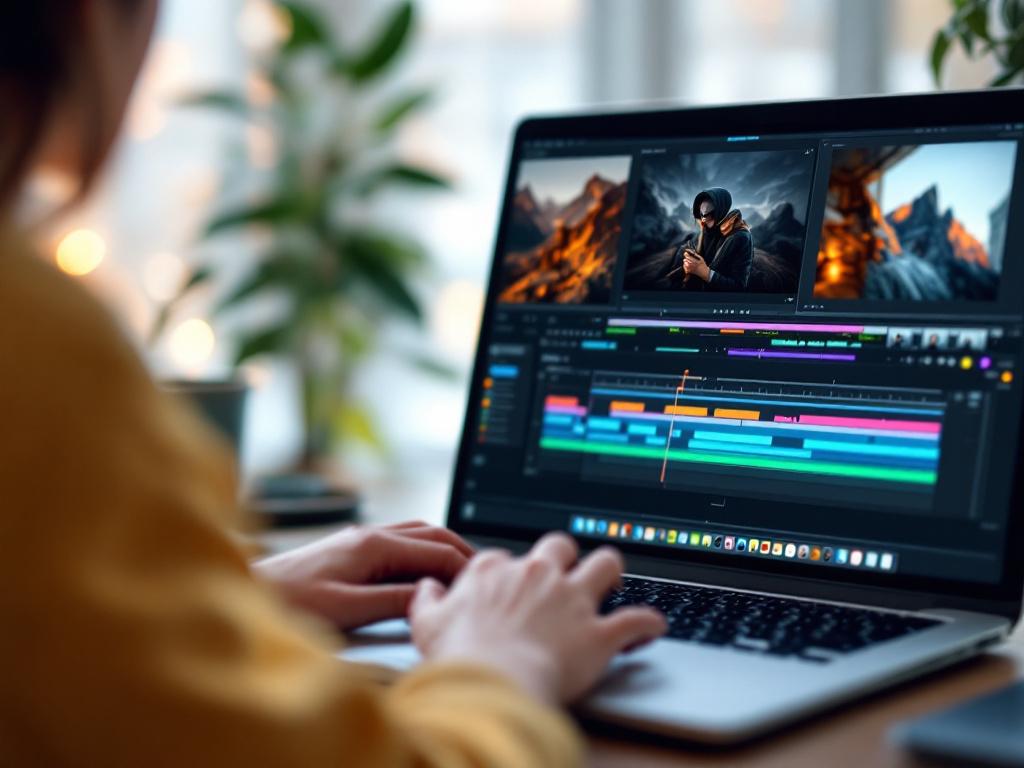
DaVinci Resolve's free tier exports up to UHD 3840×2160 — sufficient for nearly all client work below broadcast finishing.
Blackmagic Design's official DaVinci Resolve training (Free) — The 400-page DaVinci Resolve 18 training book is downloadable at no cost; partner-led certification courses run 16–40 hours per module across Edit, Color, Fusion, and Fairlight (Blackmagic Design). The free Resolve software supports up to UHD 3840×2160 export — it excludes advanced noise reduction, some AI tools, and full GPU acceleration (feature comparison). Best for: learners committed to DaVinci as their primary NLE.
YouTube channels with structured playlists (Casey Faris, Cinecom, Justin Odisho) — Curriculum is implicit, not explicit. You build your own learning order. Justin Brown of Primal Video critiques this directly: "YouTube is fantastic for tips and tricks, but it's terrible as a curriculum. You don't know what you don't know — and algorithms don't care about pedagogy" (Primal Video). Best for: supplement, not primary path.
Coursera audit mode and freeCodeCamp — Full course video content is viewable without paying; only graded assignments and the certificate are paywalled. Barbara Oakley's Learning How to Learn is a free meta-skill foundation that pays dividends across every course you take afterward. Best for: theory and meta-learning, not software-specific drills. If your project just needs quick trims rather than a full timeline edit, a browser tool like Online Video Trimmer handles the cut without opening Premiere — useful for the kind of micro-tasks tutorials rarely cover.
Adobe's free "Premiere Pro Get Started" tutorials (Adobe Learn) — First-party, 5–15 minute videos per topic. Limited to onboarding-level depth; doesn't approach the 150 hours Adobe's own ACP exam framework assumes for industry-recognized competence. Best for: getting unstuck on a specific feature, not building from zero.
Skillshare 1-month free trial or Udemy frequent $9.99 sales — Technically paid platforms, but accessible for under $50 if you time them. Udemy's "complete" Premiere and DaVinci courses run 10–25 hours of on-demand video each (Udemy catalog). Best for: testing whether self-paced works for you before bigger spend.
Free courses get you to "I can cut and export." They rarely get you to "I can deliver a paid client edit on deadline." Larry Jordan warns: "The danger of many tutorials is they teach effects, not editing" (larryjordan.com). When your edits feel technically correct but emotionally flat, the free tier has tapped out.
Free courses teach you the software. Paid courses teach you taste — how to make the decisions that separate amateur work from professional edits.
Mid-Tier Video Editing Courses ($100–$500): Where Most Learners Should Start
This tier is the practical sweet spot for roughly 80% of learners — enough structure to drive completion (paid MOOCs hit 22% completion vs. 2–6% free, per Reich & Ruipérez-Valiente), credential value where it actually matters, but not the four-figure commitment of a bootcamp. Coursera's 2023 learner outcome data shows 60% of creative and design learners report improved job performance and 26% report a tangible career benefit (new job, raise, or promotion) within 12 months of completion.
| Course / Platform | Primary software | Credential | Best for | Price (2026) |
|---|---|---|---|---|
| Skillshare video tracks | Premiere, FCP, CapCut | Completion only | Breadth-explorers | ~$165/yr |
| LinkedIn Learning | Premiere, AE, FCP | LinkedIn certificate | Career-switchers | $39.99/mo or $323.88/yr |
| MasterClass | Theory + storytelling | Completion only | Narrative lens | $120/yr individual |
| Udemy "Complete" courses | One NLE per course | Completion certificate | Software deep-dive | $10–$200 per course |
| School of Motion intro | After Effects, C4D | Cohort certificate | Motion graphics path | $300–$500 per course |
| Casey Faris Academy | DaVinci Resolve | Completion | Resolve colorists | $200–$400 |
Pricing references: Skillshare, LinkedIn Learning, MasterClass.
Credential reality check. Noam Kroll's hiring-side take is the one to internalize: "Employers care far more about your reel than your certificates…a strong portfolio outweighs badges from generic online courses" (noamkroll.com). The LinkedIn Learning certificate has the least curriculum value of any option in the table but the most algorithmic visibility on the platform recruiters actually use to filter candidates. That's a tradeoff worth naming.
Software match is non-negotiable. Jordy Vandeput nails it: "Editing for YouTube is different from editing for commercials or film…you should study with people who actually ship the kind of work you want to make" (Cinecom). A Skillshare CapCut track is useless preparation for a studio running Avid. Pick the NLE first based on the job or niche you're targeting, then pick the course.
The $165 Skillshare year vs. the $200 Udemy single course. Subscription rewards breadth-explorers — creators jumping between CapCut, Premiere, and Final Cut depending on the client. Per-course pricing rewards depth-divers. If you've already chosen your NLE, a targeted Udemy course plus structured YouTube practice beats Skillshare's all-you-can-eat library.
Hour-count vs. competence. Adobe's ACP framework assumes 150 hours of guided practice to reach industry-recognized Premiere Pro competence. A 20-hour Udemy course is about 13% of that runway — useful as a launchpad, not transformative on its own. Plan to pair any mid-tier course with 80–120 hours of self-directed project work on real footage with real deadlines.
Who this tier is wrong for. Anyone needing formal job placement support, anyone with chronic completion problems (the structure isn't strong enough to overcome that), and working professionals already past beginner level. Pros need niche masterclasses in their specialty — color, sound, motion — not broad survey curricula.
Premium Video Editing Courses & Bootcamps ($500–$20,000): When the Investment Pays Back
Premium tier covers two distinct categories — high-end specialized courses ($500–$2,000) and full bootcamps ($5,000–$20,000+). Both promise what mid-tier can't: live instructor feedback, real cohort accountability, and sometimes job placement support. The ROI math works, but only inside a narrow set of conditions.
The U.S. Bureau of Labor Statistics reports a median annual wage of $63,520 for film and video editors in 2023, with the top 10% earning over $135,840. A $10,000 bootcamp pays for itself in roughly 2.5 months of median post-graduate employment — if you land the job. The CIRR 2023 data shows bootcamp graduation rates of 60–90%, but "graduation" and "employment in the field" are not the same metric.
School of Motion (Animation Bootcamp, Advanced Motion Methods)
$899–$1,999 per 12-week cohort. Live weekly critique calls, paired peer review groups, instructor-recorded video feedback on every project. Software focus: After Effects and Cinema 4D. The ideal student is a working creator transitioning into motion graphics with 6–10 hours per week available outside their day job. Realistic ROI: a portfolio-ready reel in 12 weeks. Freelance motion design rates of $50–$150/hr recoup tuition within roughly 30–60 billable hours after the cohort ends.
Full Sail, SCAD, Gnomon (degree-adjacent intensive programs)
$5,000–$25,000 for certificate tracks, $80,000+ for full degrees. Equipment access, in-person mentor hours, alumni networks built over decades. These programs align loosely with the European EQF Level 5–6 workload of 1,500–1,800 hours per academic year — a useful sanity check against bootcamps claiming "job-ready" in 8 weeks on 200 hours of instruction. The ideal student is a full-time career-switcher under 35 with no existing portfolio and access to capital or loans. The ROI is honestly positive only if you target film, TV, or agency staff roles. For the solo creator economy, the math doesn't work — that path needs reps, not credentials.
Adobe Certified Professional + Blackmagic Certified Trainer paths
Roughly $500–$1,500 including prep materials and exam fees. Structured around the 150-hour ACP framework and the 16–40 hour Blackmagic modules referenced earlier. Best for in-house corporate editors, government media roles, education-sector positions, and agency junior editors where HR filters explicitly on certifications. Credential value here is the entire point — the curriculum is a means to a documented exam pass.
The ROI honesty check
Apply CIRR's own warning directly: "Bootcamps often highlight the best outcomes rather than the average…students should ask for independently audited results before investing thousands" (CIRR FAQ). Before paying any sum above $2,000, demand three pieces of evidence: (1) the cohort-average employment rate at 6 and 12 months, not the self-selected "graduates who responded to our survey" rate; (2) a named list of recent hiring companies; (3) each instructor's last three shipped projects with dates. If the school can't or won't provide these, the ROI claim is marketing copy, not data.
The speed factor courses miss
Industry benchmarks suggest 1–2 hours of edit time per finished minute for straightforward content and up to 10 hours per finished minute for narrative work (PBS post-production guide). A bootcamp must drill speed alongside skill — ask whether the curriculum includes deadline-pressured edits, not just polished final pieces. The graduate who can cut a clean 90-second corporate piece in four hours beats the graduate who can cut a beautiful one in fourteen. Studios hire the first one.
A $10,000 bootcamp is only ROI-positive if you are genuinely changing careers. If you are a hobbyist testing the waters, you are subsidizing someone else's pivot.
Five Filters to Run Any Video Editing Course Through Before You Enroll
Run every course on your shortlist through these five filters. Most courses fail at least one. The point isn't to find a perfect course — it's to avoid the expensive mismatch.
1. Does it teach the exact NLE you'll use professionally?
Generic "video editing theory" courses are time-cheap but career-neutral. The 2023 Motion Array/Artlist creative pro survey of 8,000+ professionals found Premiere Pro, Final Cut Pro, and DaVinci Resolve are the dominant three NLEs, with Resolve growing fastest year-over-year. Pick your NLE first based on your target work, then the course. Even pros use lightweight browser tools alongside their main NLE for fast tasks — an Online Audio Cutter handles quick podcast trims faster than booting Premiere for a 10-second cut, and any course worth taking will eventually teach you when to skip the timeline entirely.
2. Is the instructor shipping work in your target niche within the last 24 months?
Check portfolio dates, not just impressive bios. Casey Faris colors features; Jordy Vandeput edits YouTube creator content. Both excellent. Neither interchangeable. Apply Vandeput's filter: "Study with people who actually ship the kind of work you want to make." An instructor whose latest credited project is from 2019 is teaching from muscle memory of a different industry.
3. Do you get portfolio feedback or only module completion?
Module completion measures attendance, not skill. Look for: graded project submissions, instructor-recorded video critique, or peer review backed by published rubrics. Without feedback you'll repeat your own mistakes with rising confidence — exactly the failure mode Barbara Oakley warns against: "You don't learn by listening; you learn by doing. Short, focused practice sessions, followed by breaks, help you build the neural patterns you need" (Coursera).
4. What's the refund and pause policy?
Cohort courses generally can't be paused — miss week 3 of an 8-week cohort and you're behind for the remainder. Self-paced gives you flexibility but removes accountability. If your life is volatile in the next 12 weeks (new baby, job change, cross-country move), self-paced is the lower-risk choice even if the completion data favors cohorts. Honest assessment beats wishful enrollment.
5. Is there an active alumni or peer community after the course ends?
Networking outlives curriculum. The course where you meet your first three freelance referrals is worth more than the course with marginally superior lessons. Check whether the Discord, Slack, or forum has activity this month — many platforms maintain stale communities specifically to pad their marketing pages. A read-only "alumni network" that hasn't seen a post in 90 days is a graphic, not a resource.
The best video editing course is the one you will actually finish. Platform features matter far less than whether the teaching style matches how you learn.
Ranked Picks by Reader Type & Budget
Five reader archetypes cover roughly 90% of people searching "best video editing course." Find yours, take the #1 pick, and start within 72 hours — Reich's MOOC research shows the strongest behavioral predictor of completion is starting fast after enrolling, not the quality of the platform itself.
| Reader archetype | Budget | #1 pick | #2 pick |
|---|---|---|---|
| Hobbyist Starter | $0 | Blackmagic DaVinci training + textbook | Casey Faris structured YouTube playlists |
| Social-Media Creator | $100–$300 | Skillshare annual (~$165) | Targeted Udemy "Complete" course (sale ~$15) |
| Career-Switcher | $500–$2,000 | School of Motion intensive cohort | LinkedIn Learning annual + ACP exam prep |
| Working Pro Adding a Skill | $200–$800 | Casey Faris Academy or School of Motion single course | Niche masterclass in target genre |
| Full Career-Change Bootcamper | $5,000+ | CIRR-audited bootcamp | Community college accredited certificate |
The Hobbyist Starter. You don't need spending — you need a curriculum. The free 400-page Blackmagic textbook beats 90% of paid beginner courses for one reason: it's sequenced from chapter one to the end. Pair it with one structured project — edit a 3-minute travel piece from your own footage — inside 30 days. If you can't finish that, no $500 course will save you.
The Social-Media Creator. Skillshare's roughly $165 a year wins on breadth because your work spans CapCut, Premiere, and possibly Final Cut depending on the client. Avoid the premium tier entirely. Your ROI is volume of finished pieces shipped, not credentials. Spend the saved $1,500 on stock music licenses and a better microphone — and keep a fast browser-based video trimmer bookmarked for the quick clip cuts that don't justify spinning up a full NLE project.
The Career-Switcher. This is the segment where cohort spending genuinely pays back. Coursera's 26% career-benefit rate for creative learners climbs significantly with structured cohort programs that add accountability. The BLS median of $63,520 recoups a $2,000 cohort investment in roughly 12 working days post-hire. If your goal is staff employment in film, TV, or agency work, this is the tier to commit to.
The Working Pro Adding a Skill. Avoid "complete" courses — you'll skim 70% of content you already know and resent it. Pay for the 20% you don't. Genre-specific masterclasses in color grading, sound design, or motion graphics deliver faster ROI than broad bundles. A $400 Resolve color course from Casey Faris will outperform a $1,500 generalist program for a working editor adding finishing skills.
The Full Career-Change Bootcamper. Before spending bootcamp money, take one $300 cohort course first. If you complete it and still want bootcamp, the signal is real and the investment makes sense. If you don't complete the $300 course, that $300 just saved you $10,000. Treat the cheap cohort as the diagnostic, not the warm-up.
Your Pre-Enrollment Checklist
Print this. Run your top two course choices through every item before paying. If a course fails three or more, eliminate it.
- Identify your archetype from the previous section and write down your #1 and #2 picks by name.
- Watch one full free sample lesson from each finalist. Every legitimate platform offers this — if they don't, that's the answer.
- Search "[course name] + [your niche]" on Reddit and YouTube (e.g., "Skillshare + short-form social media"). Look for reviews dated within the last 12 months. Older reviews describe a different product.
- Verify the instructor shipped work in your niche within the last 24 months. Check their portfolio, LinkedIn, or YouTube upload dates against the calendar.
- Confirm the software taught matches the NLE you'll use professionally. Premiere, Final Cut, or DaVinci — pick one and stop comparing.
- Read the refund and pause policy in full. For any course over $500, screenshot it before payment.
- For bootcamps over $2,000, request CIRR-style audited outcomes data. If the school refuses or stalls, walk.
- Commit to completing the first project within 14 days of enrolling. MOOC research shows dropout risk peaks in week 3 — having a finished piece in hand by then is the single strongest predictor you'll see the course through.
If you've made it through this filter and still have one course standing, enroll today. The cost of the next 30 days of indecision is higher than the price difference between any two courses on your shortlist.