
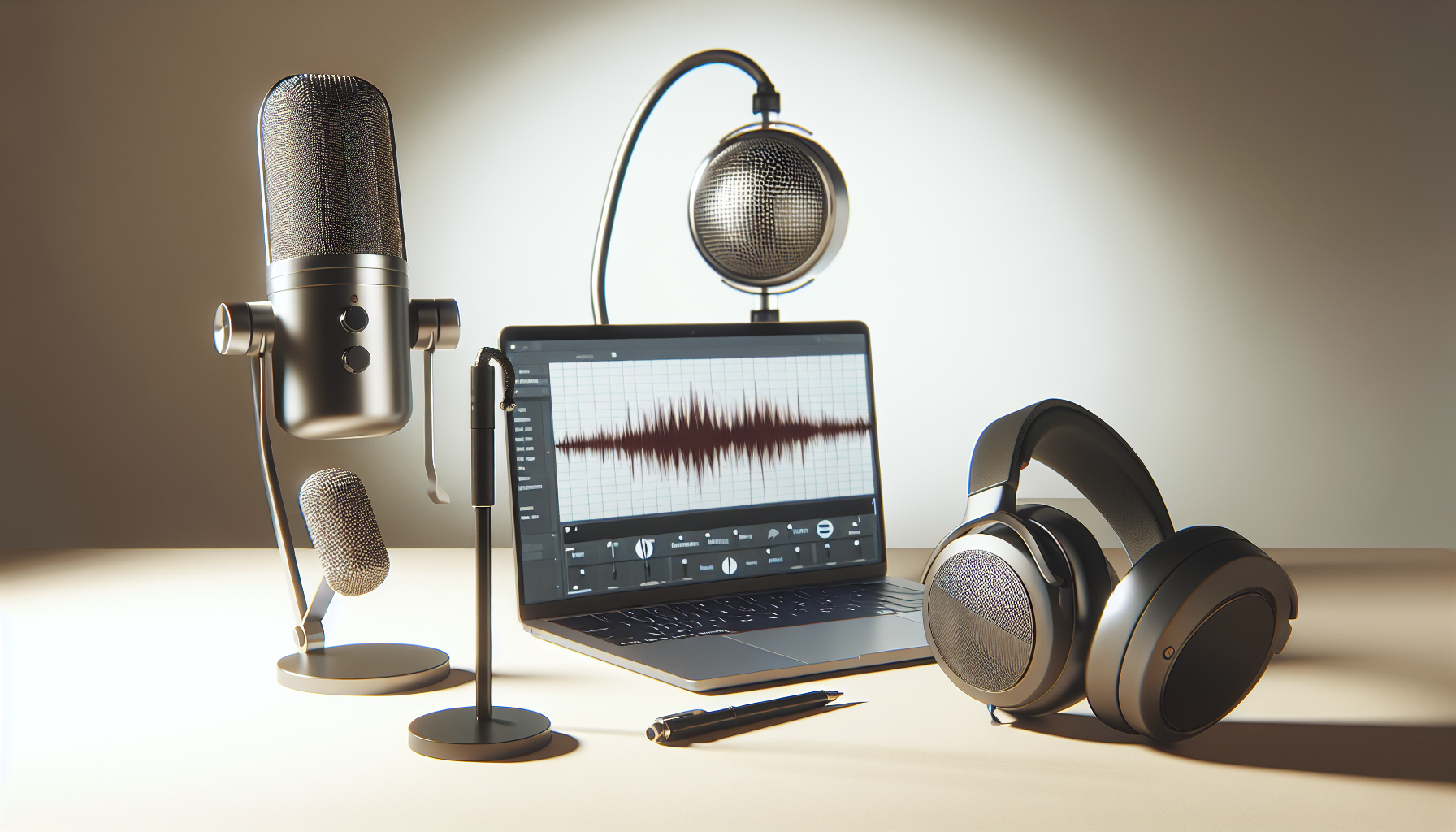
Maximizar a qualidade do som: Explicação das ferramentas de equalização online
A equalização de áudio, o processo de ajustar diferentes componentes de frequência dentro de um sinal de áudio, desempenha um papel crucial na melhoria da qualidade sonora para vários tipos de áudio. O advento do equalizador online revolucionou este processo, oferecendo acessibilidade e facilidade sem a necessidade de hardware caro ou software complexo. À medida que essas ferramentas digitais continuam a evoluir, elas democratizaram a engenharia de som, permitindo que tanto profissionais quanto usuários casuais refinassem podcasts, músicas e gravações de voz sem esforço.
Em nosso mundo digital dinâmico, os equalizadores online se destacam por proporcionar conveniência e versatilidade incomparáveis. Seja você buscando aprimorar um episódio de podcast, aumentar a clareza de uma lista de reprodução de streaming ou refinar uma gravação de voz pessoal, entender os equalizadores online abre um mundo de possibilidades para elevar sua experiência auditiva.
Entendendo a Equalização de Áudio
O que é Equalização de Áudio?
A equalização de áudio (EQ) é fundamentalmente a técnica usada para ajustar o equilíbrio entre diferentes componentes de frequência dentro de um sinal de áudio. Este processo emprega filtros especializados conhecidos como bandas de frequência para aumentar ou reduzir certas frequências. Esses ajustes permitem que você controle as qualidades tonais de um som, tornando-o mais equilibrado ou adaptado a preferências específicas.
As frequências de áudio podem ser descritas como as "notas" individuais que compõem o espectro sonoro. Por exemplo, uma nota A normalmente vibra em uma frequência de 440 Hz. Ao manipular essas frequências usando um equalizador, você pode alterar o tom, a clareza e a presença geral do som. A essência do EQ reside em sua capacidade de abordar o mascaramento de frequência, que ocorre quando frequências sobrepostas dentro de uma mixagem obscurecem umas às outras, dificultando que alguns elementos, como um bumbo ou baixo, se destaquem.
Como Funciona o Ajuste de Frequência
Quando você usa um equalizador, está manipulando a amplitude de diversas faixas de frequência dentro do seu áudio. Cada som possui uma frequência fundamental e uma coleção de harmônicos que lhe conferem um timbre único. Ajustando essas frequências, você pode destacar ou atenuar qualidades auditivas específicas, resultando em uma saída de áudio mais coerente e personalizada.
Uma aplicação significativa do EQ é a resolução de falta de definição — uma situação em que elementos sonoros com frequências semelhantes se sobrepõem e criam uma paisagem sonora congestionada. Ao gerir seletivamente as frequências, o EQ pode separar efetivamente esses elementos concorrentes, dando a cada um espaço para respirar e ser ouvido claramente.
A Ascensão dos Equalizadores Online
Conveniência e Acessibilidade
A transição de sistemas baseados em hardware para equalizadores online marca um desenvolvimento empolgante na engenharia de som, trazendo ferramentas de aprimoramento sonoro de nível profissional ao alcance de qualquer pessoa com acesso à internet. Ao fornecer plataformas baseadas em navegador, os equalizadores online permitem que os usuários acessem ferramentas de áudio de ponta sem investir em equipamentos caros ou navegar em instalações complexas.
Essa mudança democratizou a edição de áudio, tornando-a acessível a usuários em diferentes dispositivos, fomentando a criatividade sem as barreiras tradicionais. A beleza dos equalizadores online está em sua capacidade de oferecer edição de áudio de alta qualidade que é simples de usar, independentemente da expertise técnica do usuário.
Equalizadores Online vs. Hardware Tradicional
Existe um contraste distinto entre o tradicional EQ analógico e os modernos sistemas de EQ digital encontrados nos equalizadores online. Sistemas analógicos dependem de circuitos físicos para processar o áudio, oferecendo um som quente e natural que muitos audiófilos preferem. Em contraste, EQs digitais, prevalentes em plataformas online, utilizam algoritmos avançados para fornecer ajustes de frequência mais precisos, melhorando significativamente a clareza e a precisão da edição de áudio.
Os equalizadores online se beneficiam de sua inerente flexibilidade e controle, oferecendo um amplo espectro de opções ajustáveis. Os usuários podem salvar presets, replicar facilmente configurações em diferentes projetos e desfrutar da automação de tarefas repetitivas. Enquanto alguns profissionais de áudio ainda defendem o calor único do EQ analógico, a escolha entre analógico e digital muitas vezes recai sobre a preferência pessoal e as necessidades específicas de um projeto.
Aprimoramento da Qualidade do Som
Problemas Comuns de Áudio e Soluções
Os equalizadores são inestimáveis para abordar problemas comuns de áudio, fornecendo soluções que melhoram a qualidade geral do som das gravações:
- Graves Embaçados: Quando as baixas frequências ofuscam outros sons, cria-se uma mistura pesada e indefinida. Reduzir as frequências na faixa de 100-250 Hz pode melhorar a clareza.
- Agudos Estridentes: Frequências altas excessivas podem levar a sons ásperos e penetrantes. Controlar a faixa de 2-5 kHz ajuda a criar um som mais quente.
- Falta de Clareza: Quando os sons se sobrepõem sem distinção, a mixagem carece de definição. Aumentar de 2-4 kHz pode melhorar a presença e a inteligibilidade.
- Baixos Médios Retumbantes: Um excesso de frequências entre 200-400 Hz pode causar uma ressonância indesejável. Cortar nesta faixa aperta o som.
Estratégias Práticas de Aprimoramento
O EQ serve a várias funções essenciais na melhoria da qualidade do som — corrigindo desequilíbrios, melhorando elementos específicos e tratando frequências problemáticas. Essas ferramentas podem refinar significativamente o áudio, reduzindo ruídos indesejados e aprimorando o equilíbrio tonal.
A equalização permite adaptar o som para diversos ambientes, como home theaters e sistemas de áudio automotivos, garantindo que o áudio performe bem, independentemente de onde seja reproduzido. Além disso, lidar com frequências problemáticas ajuda a eliminar ressonâncias incômodas capturadas durante a gravação ou processamento, casando precisão técnica com modelagem criativa de som.
Diferentes Tipos de Ferramentas de Equalizador
Principais Parâmetros do Equalizador
Entender os principais parâmetros do EQ é crucial para navegar efetivamente em qualquer equalizador:
- Frequência (Hz): A frequência alvo para ajuste.
- Q (Fator de qualidade): Determina a largura de banda afetada pelo EQ. Um Q mais alto significa um foco mais estreito, enquanto um Q mais baixo afeta uma faixa mais ampla.
- Ganho (dB): O grau de aumento ou corte de uma frequência, expresso em decibéis.
Tipos de EQ
EQ Paramétrico oferece máxima flexibilidade com parâmetros ajustáveis, tornando-o ideal para correções precisas e aprimoramentos criativos. Equalizadores Gráficos simplificam o processo com frequências fixas, ótimos para iniciantes. EQs de Prateleira ajustam todas as frequências acima ou abaixo de um ponto definido, úteis tanto em ambientes profissionais quanto casuais.
Cada tipo tem pontos fortes únicos, e selecionar o EQ certo depende do entendimento de suas necessidades de projeto e dos resultados sonoros que você deseja alcançar.
Recursos a Procurar em Equalizadores Online de Qualidade
Ao escolher um equalizador online, considere esses recursos essenciais:
- Exibições de espectro visual em tempo real para feedback imediato.
- Capacidades de EQ paramétrico para ajustes detalhados.
- Opções de presets para cenários típicos.
- Compatibilidade com vários formatos de arquivo de áudio.
- Uma interface de usuário intuitiva para facilidade de uso.
- Processamento de áudio de alta fidelidade para manter a integridade sonora.
Como Usar um Equalizador Online
Guia Passo a Passo para Iniciantes
- Carregue Seu Áudio Envie seu arquivo de áudio para o equalizador online, garantindo que suporte formatos como MP3, WAV ou FLAC.
- Ouça Com Atenção Reproduza o áudio, identifique quaisquer desequilíbrios ou áreas problemáticas e desenvolva a habilidade de ouvir criticamente para fazer ajustes informados.
- Crie um Pico Aplique um EQ paramétrico, crie um pico com um Q estreito e aumente o ganho para localizar frequências problemáticas específicas.
- Varredura e Identificação Faça uma varredura ao longo do espectro com seu pico para identificar onde tons indesejados se intensificam, apontando frequências para ajuste.
- Aplique Seu Ajuste Uma vez identificado, modifique as configurações de Q, frequência e ganho para corrigir o problema, trabalhando com sutileza para um som natural.
- Aperfeiçoamento Faça ajustes menores, focando em equilíbrio e coesão para alcançar áudio polido e profissional.
Configuração de Níveis de Frequência por Tipo de Áudio
Diferentes tipos de áudio requerem abordagens específicas de EQ:
- Vozes: Aumente de 2-5 kHz para clareza, reduza abaixo de 100 Hz para evitar ecos.
- Baixo: Foque em 60-250 Hz para impacto sem falta de definição.
- Bateria: Melhore de 4-8 kHz para clareza e ataque.
- Instrumentos de Cordas: Um leve aumento na faixa de 2-3 kHz melhora o calor e a presença.
- Podcasts/Fala: Aumentos de presença ao redor de 3-4 kHz melhoram a inteligibilidade.
Avaliação dos Equalizadores Online Populares
Equalizadores Online de Melhor Avaliação
A variedade de equalizadores online disponíveis oferece aos usuários diversos recursos e capacidades para atender a diferentes necessidades. Aqui está uma análise de algumas das ferramentas mais populares e o que elas oferecem:
-
Ferramenta de Equalizador A:
- Prós: Interface amigável, presets abrangentes para configurações rápidas.
- Contras: Limitado a funções básicas, usuários avançados podem achar que falta profundidade.
- Melhor para: Iniciantes buscando opções de equalização diretas.
-
Ferramenta de Equalizador B:
- Prós: Opções paramétricas avançadas, feedback visual de frequência.
- Contras: Pode ter uma curva de aprendizado para novos usuários.
- Melhor para: Usuários intermediários a avançados buscando precisão.
-
Ferramenta de Equalizador C:
- Prós: Suporte extensivo a formatos, processamento em tempo real.
- Contras: Interface pode ser avassaladora a princípio.
- Melhor para: Usuários que exigem alta fidelidade com ajustes detalhados.
-
Ferramenta de Equalizador D:
- Prós: Baseado em nuvem com funcionalidades de salvar e recuperar.
- Contras: Dependente de conexão à internet para edição.
- Melhor para: Usuários móveis e aqueles que trabalham em múltiplos dispositivos.
-
Ferramenta de Equalizador E:
- Prós: Navegação suave, ótimo para edições rápidas.
- Contras: Somente recursos básicos.
- Melhor para: Usuários casuais interessados em melhorias de áudio menores.
Recursos de Destaque Entre as Ferramentas
Essas ferramentas destacam recursos essenciais como precisão de frequência, ajuste de banda ampla e designs amigáveis que atendem a diferentes níveis de experiência do usuário. Equalizadores online podem transformar o trabalho de áudio amador em qualidade de nível profissional através de tais recursos inovadores, tornando-os recursos inestimáveis no kit de ferramentas de qualquer entusiasta do som.
Dicas Avançadas para Melhoria da Qualidade do Áudio
Estratégias Profissionais de Equalização
Para aqueles que buscam dominar a arte do EQ, estratégias profissionais focam em alcançar clareza, profundidade e equilíbrio na mixagem:
- Clarificação de Elementos da Mixagem: Aumente e isole frequências características para melhorar a distinção.
- Criando Profundidade Aural: Use ajustes de frequência para mudar o foco entre elementos da mixagem, realçando qualidades espaciais.
- Aumentando o Tamanho: Faça os elementos soarem maiores ao enfatizar frequências estratégicas para um som mais impactante.
- Equilíbrio: Assegure que todos os elementos da mixagem trabalhem juntos, criando coerência e unidade dentro da paisagem sonora.
Técnicas Avançadas
Empregue configurações de Q estreito para trabalho de precisão, abordando frequências problemáticas específicas. Use configurações de Q amplo para ajustes tonais mais abrangentes, permitindo mudanças mais amplas sem alterar excessivamente as frequências ao redor.
Criar pontos de referência visuais auxilia no treinamento auditivo, comparando ajustes de EQ com faixas de referência para alcançar resultados profissionais.
Ferramentas Complementares
Enquanto o EQ se sustenta sozinho, o uso de ferramentas complementares pode aumentar seu impacto:
- Compressão: Controla as dinâmicas de volume e, quando combinado com EQ, resulta em som polido e coeso.
- Saturação: Adiciona riqueza harmônica, complementando belamente os ajustes de frequência.
- Reverberação e Atraso: Adicionam efeitos espaciais, melhorando a dimensionalidade de uma faixa equalizada.
- Alargamento Estéreo: Aumenta a clareza percebida, adicionando definição ao som equalizado.
Lembre-se de que a sutileza e a moderação na aplicação do EQ frequentemente produzem os melhores resultados, buscando um equilíbrio entre expressão criativa e precisão sonora.
Conclusão
Equalizadores online redefiniram a engenharia de som ao abrir oportunidades sofisticadas de aprimoramento de áudio para um público mais amplo. Essas ferramentas poderosas, mas acessíveis, permitem que os usuários abordem desde mascaramento de frequência até desequilíbrios tonais com facilidade, proporcionando um caminho direto para alcançar áudio de qualidade profissional.
Os principais benefícios dos equalizadores online incluem corrigir desequilíbrios de frequência, aprimorar elementos tonais específicos, melhorar a qualidade geral do som e adaptar perfeitamente o áudio para diferentes ambientes de reprodução. Eles oferecem um portal para a manipulação criativa de áudio e aprimoramento de sinal, acessível a iniciantes e especialistas.
Chamada à Ação
Agora é um excelente momento para mergulhar no universo dos equalizadores online. Explore as ferramentas, faça seus ajustes e veja como mudanças sutis de frequência podem revolucionar sua experiência auditiva.
Compartilhe suas histórias e desafios nos comentários abaixo. Quais estratégias funcionaram para você? Vamos enriquecer nossa comunidade de entusiastas do som compartilhando coletivamente sabedoria, perguntas e soluções. Juntos, podemos alcançar a perfeição sonora, uma frequência de cada vez. Descubra como um equalizador de áudio online pode transformar seus projetos e envolva-se com ferramentas adicionais como Cortador de Áudio Online ou Editor de Vídeo Online para expandir seu kit de ferramentas criativas.