
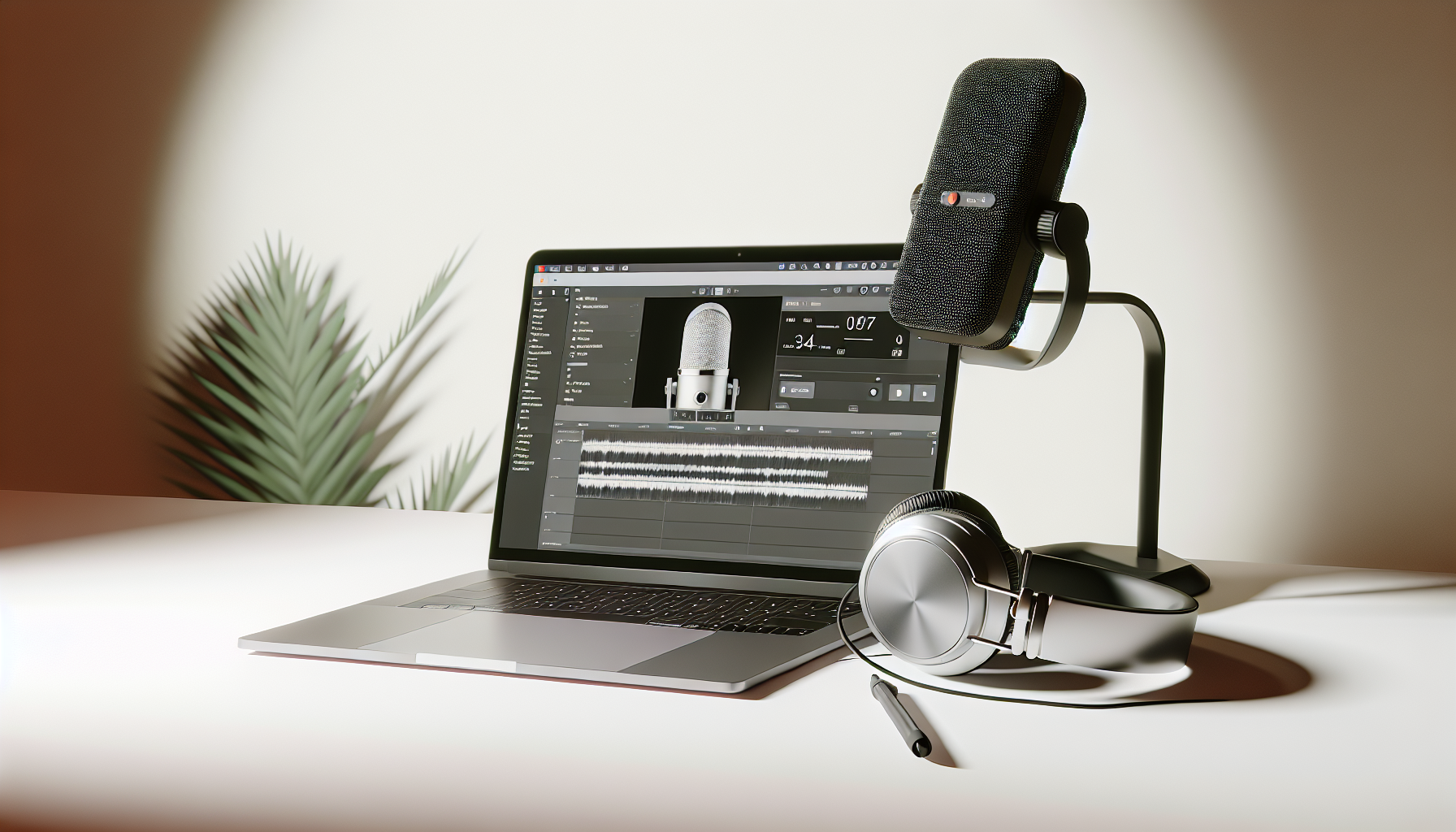
Tirar partido das ferramentas em linha para a produção de podcasts
Nos últimos anos, os podcasts dominaram o mundo, com milhões sintonizando semanalmente para explorar tópicos que vão de crimes reais a finanças pessoais e conselhos de negócios. Este aumento de popularidade tornou os podcasts uma parte fundamental do cenário midiático moderno. Mas por trás de cada episódio cativante está um conjunto de ferramentas de produção de podcast essenciais para a criação, gravação e distribuição de conteúdo polido.
À medida que os criadores disputam para se destacar nesse mercado competitivo, dominar as ferramentas certas torna-se vital. A produção eficiente de podcasts não se resume apenas à competência técnica; é sobre expressar ideias de forma clara e envolvente. Estas ferramentas simplificam o processo, permitindo que podcasters—de amadores a profissionais—criem episódios que atraem e mantêm os ouvintes. Entre no mundo das ferramentas de produção de podcast, onde tecnologia encontra criatividade, tornando a produção de alta qualidade acessível a todos.
Compreendendo Ferramentas de Produção de Podcast para Podcasters Aspirantes
Ferramentas de produção de podcast referem-se aos diversos softwares, aplicativos e plataformas que os criadores usam para produzir seus episódios de podcast. Essas ferramentas são indispensáveis para gravação, edição e aprimoramento de elementos de áudio e vídeo. O resultado é uma experiência de audição perfeita que mantém o público voltando para mais.
Uma das funções principais dessas ferramentas é simplificar tarefas complexas. Imagine o trabalho tedioso de reduzir manualmente o ruído de fundo, editar várias faixas ou transcrever episódios. As ferramentas de áudio digital assumem essas tarefas, oferecendo soluções como redução de ruído, aprimoramentos dirigidos por IA e automação que economiza tempo. O resultado? Uma transformação de gravações brutas em conteúdo pronto para transmissão sem a necessidade de um estúdio totalmente equipado.
Características principais das ferramentas de produção de podcast incluem:
- Gravação multifaixa: Essencial para entrevistas e shows com múltiplos apresentadores.
- Transcrição por IA: Converte fala em texto para edições fáceis baseadas em texto.
- Cancelamento de ruído: Elimina zumbidos de fundo e distrações.
- Nivelamento automático: Assegura volume consistente entre os segmentos.
- Remoção de palavras de preenchimento: Torna o conteúdo mais polido e profissional.
Além disso, essas ferramentas oferecem opções de exportação compatíveis com plataformas populares de hospedagem de podcast, como Libsyn e Spotify. Essa compatibilidade garante que os episódios mantenham a qualidade durante todo o processo de distribuição, facilitando para os podcasters alcançarem seu público sem problemas.
O valor intrínseco das ferramentas de produção de podcast reside em sua capacidade de otimizar esforços, permitindo que os podcasters se concentrem mais na criação de conteúdo e na narrativa. À medida que a tecnologia continua a evoluir, essas ferramentas de áudio digital desempenharão um papel ainda maior na democratização da criação de podcast, tornando-a acessível a criadores aspirantes com diversos níveis de expertise.
Ferramentas Principais de Produção de Podcast para Todo Criador
No reino das ferramentas de produção de podcast, os criadores têm à disposição uma variedade de opções gratuitas e pagas, adaptadas a diferentes níveis de expertise e avanço tecnológico. Compreender as capacidades e distinções dessas ferramentas pode ajudar os podcasters a selecionar aquela mais adequada ao seu fluxo de trabalho e necessidades.
Ferramentas de Software
- Audacity: Uma ferramenta popular de código aberto que oferece edição e gravação multifaixa. É perfeita para aqueles com orçamento limitado, pois é gratuita. Apesar de sua simplicidade, suporta várias profundidades de bits e oferece recursos básicos como redução de ruído. É ideal para iniciantes que querem começar com custos mínimos.
- Adobe Audition e Logic Pro X: Ambos são considerados padrão na indústria para produção de áudio de nível profissional. Eles possuem efeitos sonoros extensos, integração musical e edição multifaixa. O Adobe Audition oferece recursos robustos, incluindo edição de EQ e frequência espectral. Enquanto isso, o Logic Pro X é particularmente favorecido na indústria musical por suas capacidades avançadas de mixagem.
- Hindenburg Journalist: Projetado especificamente para contadores de histórias em áudio e jornalistas. Essa ferramenta possui perfilagem de voz que aprimora a qualidade do áudio otimizando nuances vocais, provando ser essencial para podcasts narrativos detalhados.
- ProTools: Conhecido como o padrão profissional para gravação e mixagem de áudio. Ele suporta produção musical e sonora abrangente, ideal para criadores que exigem o máximo de controle e qualidade em seus projetos de áudio.
Plataformas Online e de IA
- Riverside.fm: Oferece capacidades de gravação de áudio e vídeo 4K aprimoradas por IA, perfeitas para necessidades de podcasting remoto. Seus recursos incluem um "Magic Editor" que simplifica o processo de edição removendo automaticamente preenchimentos.
- Descript: Conhecido por sua abordagem inovadora de edição, o Descript converte áudio em texto, permitindo que os usuários editem seu conteúdo de podcast como se estivessem editando um documento—uma vantagem para criadores que preferem uma abordagem baseada em texto para edição de áudio.
- Zencastr: Uma aplicação baseada na web que fornece faixas separadas para cada convidado, facilitando a edição de fluxos de áudio individuais. Ele também inclui uma mesa de som para adicionar intros e outros elementos sem problemas.
- Anchor: Uma ferramenta abrangente que suporta gravação, edição, hospedagem e publicação—tudo gratuitamente. É particularmente vantajoso para iniciantes que procuram gerenciar todos os aspectos da produção de podcast em um só lugar.
Escolher a ferramenta certa depende das necessidades específicas do podcaster, seja a acessibilidade gratuita do Audacity, a profundidade profissional do Adobe Audition, ou as funções abrangentes do Riverside e Zencastr. Cada ferramenta oferece vantagens distintas que atendem a estilos de produção variados e objetivos.
Navegando no Mundo da Edição de Podcast Online
A edição de podcast online redefiniu como o conteúdo de áudio é criado e compartilhado, oferecendo aos criadores a flexibilidade de gerenciar seus projetos inteiramente da nuvem. Essa abordagem elimina a necessidade de downloads, permitindo colaboração sem interrupções e facilitando para equipes espalhadas pelo mundo trabalharem em conteúdo de áudio.
Benefícios da Edição de Podcast Online
- Acessibilidade Instantânea: Com ferramentas baseadas na nuvem, não há necessidade de se preocupar com limites de armazenamento do dispositivo. Edite seus episódios de podcast de qualquer dispositivo conectado à internet.
- Automação por IA: Muitas plataformas incorporam recursos de IA que automatizam tarefas tediosas de edição, como redução de ruído, nivelamento de volume e remoção de palavras de preenchimento, resultando em durações de edição significativamente reduzidas.
- Colaboração: A colaboração remota é um grande benefício, pois membros da equipe podem acessar a plataforma de qualquer lugar para fazer edições ou sugestões em tempo real. Isso é revolucionário para podcasters com equipes remotas ou que entrevistam convidados internacionais.
Plataformas Principais
- Descript: Permite que os criadores editem modificando transcrições. Essa capacidade é particularmente vantajosa para aqueles que desejam gerenciar podcasts como um documento de texto. A ferramenta também suporta overdubbing e integração de clipes de vídeo para um acabamento polido.
- Auphonic: Automatiza todo o processo de pós-produção, lidando com tarefas como nivelamento de áudio e redução de ruído com precisão de IA. É ideal para produtores de alto volume que buscam manter qualidade consistente.
- Adobe Podcast: Oferece uma solução rápida para aprimorar áudio a um nível profissional com recursos de clique único, perfeito para correções rápidas ou aprimoramentos de última hora.
- Podcastle.ai: Utiliza IA avançada para oferecer geração de voz e ferramentas de criação de conteúdo multilíngue, expandindo a acessibilidade dos podcasts para um público mais amplo.
- Veed.io: Focado principalmente em podcasters de vídeo, seus recursos incluem legendas geradas por IA e detecção de cena sem esforço, tornando-o perfeito para quem integra elementos visuais.
Ferramentas como Cortador de vídeo online tornaram-se cruciais para podcasters de vídeo que precisam de capacidades de edição fluentes sem software local. Ferramentas de edição de podcast online são instrumentais para garantir que o conteúdo seja produzido de maneira eficiente e compartilhado com eficácia, especialmente no mundo digital de hoje. Elas representam avanços essenciais na tecnologia, capacitando criadores a se concentrarem na arte de contar histórias em vez das tecnicalidades da produção.
Aproveitando os Benefícios das Ferramentas de Áudio Digital no Podcasting
Ferramentas de áudio digital revolucionaram o mundo do podcasting ao transformar gravações brutas em áudio de qualidade profissional com facilidade e precisão. Essas ferramentas melhoram a qualidade do som através de técnicas como redução de ruído, equalização e compressão, que são fundamentais para reter ouvintes.
Elevando a Qualidade de Áudio do Seu Podcast
- Redução de Ruído: Conversas de fundo, chiados e distrações podem desviar o foco do ouvinte. Ferramentas como Krisp fornecem cancelamento de ruído de fundo em tempo real, poupando os podcasters das demoradas edições pós-produção.
- Equalização e Compressão: Ajustar frequências para que vozes individuais se destaquem nas gravações. A compressão ajuda a equilibrar o som, criando uma experiência de audição mais coesa.
- Aprimoramentos por IA: Modificações impulsionadas por IA podem simplificar os aprimoramentos de qualidade. Adobe Podcast, por exemplo, oferece soluções rápidas para elevar áudio de qualidade inferior a padrões profissionais.
Principais Ferramentas de Áudio Digital
- Krisp: Oferece cancelamento de ruído em tempo real, crucial durante entrevistas remotas ou gravações em condições menos que ideais.
- Auphonic: Esta ferramenta funciona automaticamente para reduzir ruídos, garantindo um som consistente e polido com pouco esforço manual.
- Podsqueeze: Facilita o reaproveitamento de conteúdo existente ao oferecer serviços de transcrição e ferramentas para remoção de preenchimentos desnecessários.
O uso de um Cortador de áudio online pode simplificar os processos de edição de áudio garantindo produção eficiente mesmo para tarefas de edição complexas. Ferramentas de áudio digital são críticos para podcasters de todos os níveis. Elas não apenas melhoram a qualidade do som, levando a uma melhor experiência do ouvinte, mas também simplificam o processo geral de produção ao minimizar a necessidade de edição manual extensiva e reduzir investimentos em equipamentos.
Selecionando o Software Ideal de Criação de Podcast para Suas Necessidades
Escolher o software de criação de podcast certo é crucial tanto para podcasters iniciantes quanto para produtores experientes, e a decisão geralmente depende de necessidades específicas e do escopo da produção.
Orientação para Iniciantes e Especialistas
- Iniciantes podem preferir software de podcast que ofereça facilidade de uso com curvas de aprendizado mínimas. Audacity e Anchor oferecem recursos diretos sem sobrecarregar novos usuários. Ambos fornecem ferramentas de edição suficientes e capacidades para publicar conteúdo diretamente.
- Profissionais exigem recursos avançados como suporte para multifaixas e efeitos sofisticados que softwares como Adobe Audition e Logic Pro X proporcionam. Essas ferramentas oferecem edição de alta fidelidade e uma ampla gama de funcionalidades de engenharia de som.
- Entusiastas de Podcasting Remoto se beneficiarão de ferramentas que oferecem suporte sólido para faixas separadas. Riverside.fm e Zencastr são ideais para entrevistas com convidados remotos, apoiando gravações de alta qualidade e facilitando a edição de faixas individuais.
Tabela Comparativa de Opções de Software
| Software | Pontos Fortes | Limitações |
|---|---|---|
| Audacity | Gratuito, ferramentas básicas de edição, multiplataforma | Recursos avançados limitados |
| Descript | Edição intuitiva por transcrição, ferramentas multifacetadas | Requer pagamento para recursos completos |
| Riverside.fm | Excelente gravação remota, capacidades de IA | Modelo baseado em assinatura |
| Adobe Audition | Efeitos e ferramentas de edição de nível profissional | Caro, curva de aprendizado íngreme |
| Anchor | Gratuito, solução tudo-em-um | Limitado a menos recursos avançados de edição |
Considerações para Escolha
- Recursos vs. Orçamento: Decida os recursos necessários primeiro, depois considere o que se encaixa no seu orçamento.
- Testes: Utilize testes gratuitos para experimentar as capacidades do software antes de se comprometer.
- Integração: Verifique a compatibilidade com sua plataforma de hospedagem existente para otimizar a publicação.
O software certo pode influenciar significativamente a facilidade e a qualidade da produção de podcasts, tornando-se um investimento valioso para qualquer podcaster dedicado.
Maximizando o Potencial das Ferramentas de Produção de Podcast
Para aproveitar ao máximo suas ferramentas de produção de podcast, é essencial empregar práticas estratégicas que aumentem a eficiência e otimizem seu fluxo de trabalho.
Dicas Essenciais para Podcasters
- Preparação: Invista em microfones e fones de ouvido de qualidade para capturar som claro desde o início. Utilize ferramentas de cancelamento de ruído como Krisp antes de começar a gravar.
- Gravação: Para formatos complexos de podcast, use plataformas como Zencastr ou Riverside.fm que suportam faixas de áudio separadas. Isso simplifica a edição e mantém a qualidade do som.
- Eficiência de Edição: Utilize plataformas impulsionadas por IA como Descript e Auphonic para remover sons de preenchimento e aprimorar a qualidade do áudio de forma autônoma, economizando tempo nas edições manuais.
- Otimização do Fluxo de Trabalho: Exporte em formatos amplamente utilizados como MP3 ou WAV para facilitar a compatibilidade com plataformas de hospedagem. Use ferramentas como Podsqueeze para reaproveitar conteúdo de maneira eficiente.
- Melhoria Contínua: Teste episódios regularmente em vários dispositivos para garantir qualidade consistente. Acompanhe o feedback e análises da audiência para refinar o uso das ferramentas.
Essas práticas podem reduzir significativamente o tempo gasto na produção de podcasts enquanto mantêm um alto nível de profissionalismo, atraindo fortemente tanto novos quanto recorrentes ouvintes.
O Papel Crítico de Investir em Ferramentas de Produção de Podcast
Quando se aventura no mundo do podcasting, ter ferramentas de produção de podcast confiáveis à sua disposição é uma necessidade. Seja você um podcaster em ascensão ou um veterano experiente, a capacidade de produzir conteúdo de qualidade estabelece a base para o crescimento e engajamento do público. O que distingue um bom podcast de um excelente é muitas vezes a qualidade de seu áudio e o profissionalismo comunicado através de uma produção fluente.
Os podcasters que encontram uma gama de opções de software—desde Riverside.fm para entrevistas remotas até Audacity para edição simples—devem compreender seu estilo de produção e quais ferramentas são mais adequadas para apoiá-lo. Tal investimento em ferramentas não se trata apenas de conveniência. Trata-se de capacitar os criadores a entregarem conteúdo de alta qualidade que ressoe com sua audiência.
Envolva-se com Sua Jornada de Podcasting
Adoraríamos ouvir sobre suas experiências com diversas ferramentas de produção de podcast. Qual tem sido sua ferramenta preferida e como ela transformou seu fluxo de trabalho? Compartilhe seus insights nos comentários abaixo ou participe da conversa nas redes sociais. Além disso, não se esqueça de assinar nosso blog e newsletter para mais insights, análises e dicas sobre como aprimorar suas habilidades e estratégias de podcasting.