

Fiverr Video Editing in 2026: What to Expect, Pricing & How to Hire
What Changed in Fiverr's Video Editing Market Since 2024
You have 50 hours of raw footage, a launch deadline in three weeks, and a budget that won't stretch to a full-time editor. The real question isn't whether Fiverr video editing still makes sense in 2026 — it does — but which seller won't ghost you halfway through, and what you'll actually pay once rush fees and revision overages land on the invoice. The platform's playbook from 2022 is obsolete. Sellers have stratified, prices have polarized, and AI-assisted editing has redrawn the budget tier. What follows is a hiring checklist, a pricing decoder, and a recovery plan for when things go sideways — written for the buyer who needs the edit shipped, not entertained by the search results.
Table of Contents
- What Changed in Fiverr's Video Editing Market Since 2024
- Decoding Fiverr Pricing: From Package Sticker to Final Invoice
- Red Flags and Green Flags: Filtering Sellers Before You Hire
- Seller Tier ROI: Where Your Budget Actually Goes
- The Brief That Prevents 80% of Revision Loops
- When Fiverr Editing Goes Sideways: Recovery Playbook
- Turning One Gig Into a Standing Editor Relationship
- Your Fiverr Video Editor Hiring Checklist
What Changed in Fiverr's Video Editing Market Since 2024
Five concrete shifts matter before you shortlist a single seller. Recognize them and you'll filter accurately. Miss them and you'll waste a week of message threads.
Seller stratification. The middle tier — the $50 to $150 generalist gig — has thinned out. Sellers who survived either invested in specialization (UGC ad editing, long-form podcast cuts, motion-graphics-heavy YouTube) and moved to $200+ price points, or they pivoted to volume plays running AI-assisted workflows at $15 to $40. The "generalist editor at $75" is now hard to find on Fiverr, and when you do find one, it's usually a red flag — a brand-new seller still calibrating, or a reseller front-ending an offshore pipeline. The implication for buyers: stop sorting by price-low-to-high and expecting to find craft in the middle. There is no middle anymore.
AI tooling inside gigs. Many sellers now run CapCut, Descript, Runway, and Adobe's Generative Extend as part of their editing pipeline. The upside is real — turnaround on standard cuts has compressed from 5 days to 48 hours where AI handles silence removal, rough sync, and first-pass captions. The downside shows up on dialogue-heavy footage, where Descript's automated silence cuts can butcher pacing if the seller doesn't review every transition by hand. Ask sellers explicitly which AI tools they use, on which steps, and whether a human reviews the cuts before delivery. The honest sellers will tell you. The volume sellers will dodge.
The $5 video edit is dead. Sellers who survived 2025 are either specialists charging $200 and up, or they have pivoted to volume plays running CapCut and Descript pipelines.
Pricing has formalized at platform level. According to Fiverr's own resource guide [VENDOR SOURCE], basic video editing averages around $65 per project, advanced editing starts at $60, and high-end commercial work reaches $450 per finished minute (Fiverr Resource Guide). Treat that $450/minute as the platform-documented ceiling, not what most buyers actually pay — it's the upper bound for Pro-tier commercial work where the brief includes color grade, sound design, motion graphics, and licensed music.
Fiverr Pro ceiling expansion. Per Fiverr's Help Center [VENDOR SOURCE], Pro gigs can now be priced up to $20,000, and custom offers extend to $50,000 (Fiverr Help Center). The platform is openly courting brand-tier budgets that previously went to agencies and production houses. This matters because Pro is no longer the "premium freelancer" tier — it's positioned as the agency-replacement tier. The implication: when you hire Pro, you're competing for attention against clients with five-figure briefs, and the seller's responsiveness will reflect that.
Response time as a quality signal that drifts. During Q4 and product-launch peaks (October through December, plus late spring), even highly rated sellers slip from sub-2-hour responses to 12-24 hours. Build this into your timeline math. A seller whose profile shows a 1-hour average response in March may take 18 hours in November when half their roster is shipping holiday campaigns. The "responds in 1 hour" badge is a rolling 30-day average, not a guarantee.
What this means tactically: filter aggressively on Pro tier or Level 2 with niche specialization, ignore generalist mid-tier listings, and treat AI-assisted gigs as a separate category — cheap and fast, but only if the seller will disclose their pipeline in writing. The buyers who do this in 2026 hire well. The buyers who sort by price and message the top three results lose their deposit and their week.
Decoding Fiverr Pricing: From Package Sticker to Final Invoice
Before you message a single seller, model your project against the table below. The columns track what actually moves the final invoice — not just the headline package price. Base figures come from Fiverr's resource guide [VENDOR SOURCE]; treat them as upper-bound platform documentation.
| Project type | Base package range | Typical add-ons | Realistic final invoice |
|---|---|---|---|
| 60-sec social cut (vertical) | $25–$80 | Captions, 2 revisions, music | $45–$130 |
| 5-min YouTube edit (talking head) | $60–$180 | Color grade, B-roll, thumbnail | $120–$280 |
| 15-min YouTube (multi-cam, graphics) | $150–$400 | Motion graphics, sound design | $280–$650 |
| 30-min podcast video edit | $80–$220 | Caption cleanup, chapters | $130–$340 |
| Commercial / brand ad (60–90 sec) | $200–$600 | Color, music license, rush | $400–$1,200 |
| High-end commercial (Pro tier) | $450/min and up | All-inclusive | $1,500–$20,000+ |
The headline price almost never matches the final invoice because three forces push the number up. Revision overages: most "budget" gigs include one or two revisions; rounds three and beyond are billed at roughly 30-50% of base. Rush fees: 24-48 hour delivery typically adds 25-50% on top. Add-ons priced à la carte: color grading runs $20-$80, motion graphics $40-$200, licensed music $15-$60, and captions $20-$50.
Walk through a worked example. A "$25 5-minute edit" from a Level 1 seller looks cheap until you add captions ($30), two extra revisions (about $25), rush delivery (~$15), and a music license (~$20). Final invoice lands near $115 — and you still have no color grade and no B-roll work. A Level 2 seller's $150 package covering the same scope with three revisions, captions, and basic color grading included delivers at $150 flat with a predictable timeline. The "cheap" gig costs roughly the same and ships worse.
The lesson: compare all-in quotes, not package stickers. Ask every seller for a written scope confirming revision count, captions, color grade, music sourcing, and rush terms before you place the order. If they won't put it in writing, that's the answer.
For lightweight pre-work — trimming source files before you send them, or pulling clean audio for a brief — handle it yourself with a free Online Video Trimmer and Online Audio Cutter. Sending tighter source material reduces seller hours, which shrinks your invoice and tightens your turnaround.
Red Flags and Green Flags: Filtering Sellers Before You Hire
You're staring at 200 search results. Here's the filter. Each signal pairs a pattern with what to do when you see it.
Portfolio that's all stock footage and music videos. If every sample is a montage of drone shots cut to licensed tracks, the seller is showing edit style without proving client work. Ask for one sample where they edited footage the client shot — mediocre source material, not cinematic stock. If they can't produce it, they're a stylist, not an editor. Real client work has compromises baked in; pure showreels don't.
AI-generated thumbnails on the gig itself. Sellers using obvious Midjourney thumbnails for their own gig storefront often run AI pipelines on the editing too, or outsource the work entirely. Not automatically disqualifying — pair this signal with the AI-disclosure question and judge the answer.
Response time under 2 hours, with substance. A green flag is a fast response that asks two or three specific questions about your footage: codec, total runtime, style references, target platform. A fast response that just says "yes I can do this, send the files" is a red flag. The seller who doesn't ask questions will guess, and you'll pay for the guesses in revision rounds.
Verified ID and seller history over 24 months. Combined with active gigs in the last 30 days, this filter alone removes dormant accounts and bot-resold profiles. Check the "Joined" date on the profile, not just the level badge — badges can be carried over from low-effort niches.
Niche focus over generalist scope. "I edit vertical UGC ads for DTC brands" beats "I edit anything — YouTube, weddings, ads, animation, real estate." Specialists deliver to spec faster because they've internalized a style. Generalists revise more because they're recalibrating with each new client.
Linked case studies with public client URLs. A Level 2 or Pro seller who links to live YouTube channels, brand websites, or campaigns where their work appears is providing verifiable proof. Stock-only portfolios cannot be cross-checked. If the seller claims agency clients but won't name one, treat it as unverified.
Pricing transparency upfront. Green flag: the seller's first reply quotes a flat all-in number with revision count, rush terms, and delivery date listed in plain text. Red flag: "Let's discuss your needs first" with no numbers — that's negotiation theater designed to anchor you high after you've invested time explaining the project.
Reviews that mention revisions and recovery. Skim 5-star reviews for phrases like "responsive to revision notes" or "fixed the audio sync issue same day." A wall of reviews saying only "great work, fast delivery" is suspicious. Every project has friction. Reviews that describe handling friction are real reviews. Reviews that only celebrate are often gamed.
Seller Tier ROI: Where Your Budget Actually Goes
The question isn't which tier is "best." It's which tier matches the consequence of failure on this specific project. Tier choice is a risk-management decision, not a quality ranking.
| Tier | Typical price | Realistic turnaround | Best fit | Common failure mode |
|---|---|---|---|---|
| New Seller | $15–$50 | 3–7 days, variable | Test gigs, throwaway social | Disappears mid-project |
| Level 1 | $30–$100 | 2–5 days | Simple cuts, clear brief | High revision cycles |
| Level 2 | $75–$250 | 2–4 days | Recurring YouTube, podcasts, ads | Bandwidth in peak seasons |
| Top Rated | $150–$400 | 2–3 days | Brand content, multi-cam | Premium price, no Pro vetting |
| Fiverr Pro | $200–$500+ (to $20,000) | 1–3 days, fixed | Commercial, agency-replacement | Overkill for simple cuts |
Pro tier ceiling pricing per Fiverr Help Center [VENDOR SOURCE].
The cheap-tier paradox is the trap most first-time buyers fall into. A Level 1 seller at $40 looks like roughly 60% savings against a Level 2 at $100 — until you account for revision cycles. Level 1 sellers average more revision rounds because their initial interpretation of a brief is rougher and their style range is narrower. If you spend three rounds (each adding 24-48 hours and possibly an overage fee) versus the Level 2's typical one-and-done delivery, the "cheap" gig costs more in calendar days than dollars. For a launch with a fixed date, calendar cost dominates dollar cost.
Top Rated and Pro tiers solve a different problem: predictability. You're not paying for better editing in isolation — Level 2 specialists can match Pro craft on simple cuts. You're paying for fixed timelines, written scope confirmation, and a seller who asks clarifying questions instead of guessing. For projects where missing the deadline costs more than the gig itself — product launches, paid ad flights with locked media buys, client presentations — Pro-tier math works out even at three to five times the Level 2 price. A $400 ad missed because of a $50 saving is the worst trade in freelance hiring.
Pro tier doesn't always mean better editing. It means predictable delivery and a seller who asks questions instead of guessing.
The opposite trap: hiring Pro for a 60-second social cut. The minimum scopes, briefing overhead, and admin layers make Pro slower than a Level 2 specialist for simple work. Match the tier to the consequence of failure, not to the prestige of the badge.
A practical rule. New and Level 1: personal or throwaway work where you're learning what good looks like and a missed week doesn't matter. Level 2: the 80% of business work — recurring YouTube, podcast video, ad variants, social cuts. Top Rated and Pro: launches, brand-facing work, and any project where the deadline is non-negotiable. Pick the tier by what you're protecting against, not by the headline price.
The Brief That Prevents 80% of Revision Loops
Most revision cycles on Fiverr trace back to brief failures, not seller failures. Send the structure below before any seller writes a single timeline.
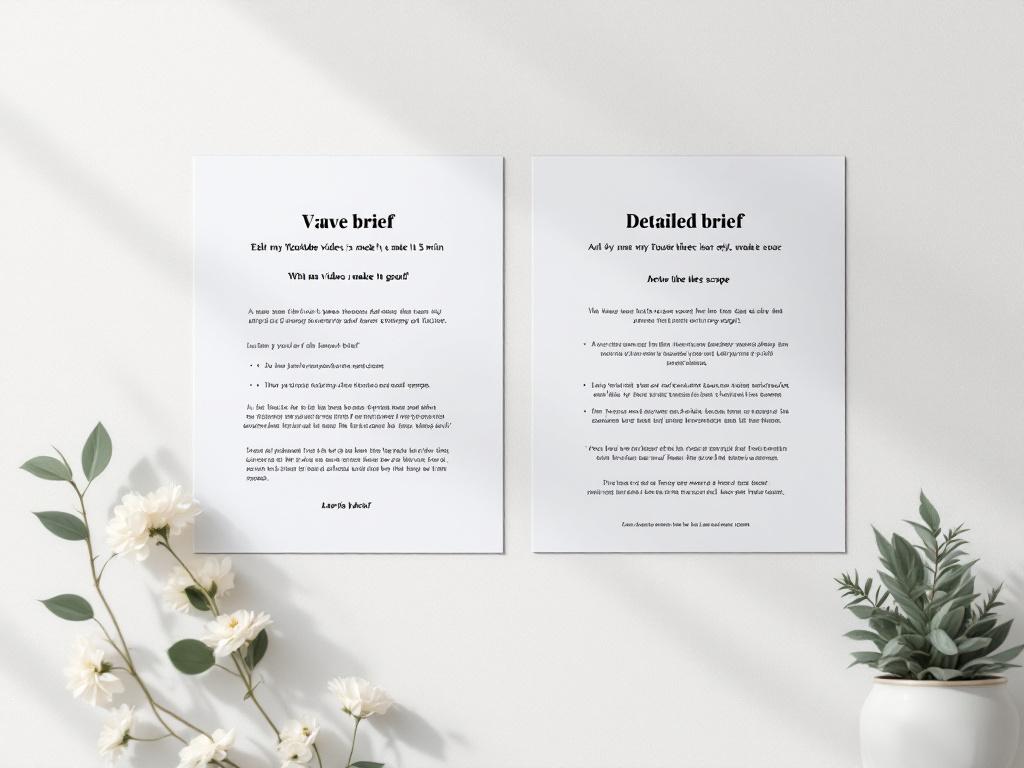
- Final video specs, locked. Length, aspect ratio (16:9, 9:16, 1:1), platform (YouTube, TikTok, Instagram Reels, LinkedIn). A 60-second 9:16 cut for TikTok is a fundamentally different edit than a 60-second 16:9 cut for YouTube — pacing, captions, hook timing all differ. Say which one upfront.
- Style references — three of them. Link to two videos you want yours to feel like, and one you explicitly don't want it to feel like. The negative reference prevents an estimated 40% of stylistic disagreements because it bounds the editor's interpretation rather than just suggesting a direction.
- Source footage manifest. Total runtime, number of clips, codec (H.264, ProRes, etc.), resolution, and where it's hosted (Drive, Frame.io, Dropbox). Pre-trim obvious junk before sending — use a free Online Video Trimmer to drop the dead air at the start of takes and the moments where the camera was rolling on a coffee break. Less raw material to wade through means fewer billable seller hours.
- Audio sources and treatment. State plainly whether you're supplying music or the seller is sourcing it (and on what license). If supplying voiceover, extract clean audio from your screen recording first so the seller isn't billing time to strip it from a mixed source.
- Revision scope, defined. Write down what counts as a revision (timing tweaks, music swap, text correction) versus a new request (re-edit, restructure, scope change). Two rounds is industry standard on most Fiverr packages; anything beyond is billed. Naming the boundary in the brief prevents the "but I thought that was included" conversation later.
- Delivery format and file specs. MP4 H.264 at 1080p is the default. Specify if you need ProRes, 4K, separate SRT subtitle files, or hardcoded captions. Get this in writing before delivery — re-rendering at the seller's end is faster than re-disputing through Fiverr's resolution flow.
- Deadline with a buffer — and never give the real one. If your launch is March 15, your seller deadline is March 8. The buffer absorbs revision rounds, platform upload time, color profile checks, and the small chance the seller misses by a day. Sellers who hear "March 15" will deliver on March 14 with no room for anything to go wrong.
- Communication cadence. Daily check-ins via Fiverr messages for active projects; one 20-minute video call at the briefing stage for anything over $300. Set this expectation in the brief, not after the work starts. Sellers who refuse a kickoff call on a $300+ project are telling you they don't intend to clarify before they start cutting.
- Kill-switch clause. State plainly: "If first delivery misses 60% of brief intent, I will request cancellation and re-hire." Sellers who balk at this are telling you they don't deliver to brief. Sellers who accept it without comment are confident they will.
When Fiverr Editing Goes Sideways: Recovery Playbook
A meaningful share of Fiverr video projects hit at least one friction point. The question isn't whether you'll see one — it's which problems are recoverable and which mean cut losses now. Five scenarios, with the recovery path for each.
Seller goes silent for 48+ hours. Fiverr's dispute system requires you to wait through the seller's stated delivery window before resolution mechanisms activate. If you're three or more days from launch, opening a Fiverr support ticket is slower than ordering a parallel gig from a second seller and treating the first order as sunk cost. Cancel only after the second seller confirms availability and start time — premature cancellation refunds your money but burns your timeline, which is the resource you can't replace.
If a seller has not responded in 48 hours and you are three days from launch, escalating to Fiverr support is slower than hiring a second editor to parallel the work.
Delivery misses brief; seller refuses meaningful revision. Fiverr's "request modification" button is your tool, not the chat thread. Submit specific timestamped notes (00:23 — pacing too slow, cut to 00:18) rather than narrative feedback like "this section drags." If the seller's revision still misses, escalate via the Resolution Center within 7 days of delivery. Do not click "accept order" — accepting closes your dispute window and converts the work into a finished transaction in Fiverr's eyes.
Quality is structurally unusable. Color grading destroyed source footage, audio is out of sync by more than 100ms across the timeline, pacing is broken across the whole edit. At this point, revisions are slower than re-editing. Take what's salvageable (timeline structure references, music selection notes, identified problem clips), open a parallel order with a Level 2 specialist, and dispute the original for partial refund citing brief deviation. Trying to nurse a structurally broken edit through three revision rounds will cost you more in calendar days than starting over.
Deadline slip threatens your launch. When a seller signals delay — even a soft "running a bit behind, will deliver tomorrow" — do not negotiate. Order a backup gig the same hour. Fiverr does not penalize sellers consistently for late delivery, and your launch isn't refundable. The cost of a duplicate $150 gig is rounding error against missing a paid ad flight, a product launch window, or a client presentation. If the original seller delivers on time after all, you have two cuts to choose from. If they don't, you've already absorbed the risk.
File delivery fails on technical grounds. Codec mismatches (seller delivers H.265 when you needed H.264 for a legacy CMS), color space drift (Rec.709 vs. Rec.2020 mismatched between source and export), missing SRT files. These are 30-minute fixes if you catch them at delivery. Always test the file in your actual upload pipeline — not your desktop player — before accepting the order. If the seller can't re-export to spec quickly, a free Online Video Trimmer can handle simple format conversions and trimming without re-hiring.
The meta-lesson connecting all five scenarios: build the buffer at brief stage and recovery cost stays small. The 7-day buffer between seller deadline and your real launch date isn't a luxury — it's the budget that absorbs every scenario above without breaking your project. Skip the buffer and a single seller failure cascades into a missed launch. Build it and most of these scenarios become survivable inconveniences instead of project failures.
Turning One Gig Into a Standing Editor Relationship
Single-gig hiring is the most expensive way to use Fiverr long-term. Once you've hired well once, here's the playbook for compounding that win.

Lock in the third gig fast. After one successful delivery, most sellers are responsive and motivated. After three, you're a known quantity in their queue and pricing softens. Aim to send the second order within two weeks of the first to keep momentum and stay top-of-inbox. Sellers prioritize repeat clients who are clearly committed over new clients who might be one-offs.
Negotiate custom packages, not gig prices. Fiverr's public gig prices are ceilings for repeat clients, not starting points. Ask the seller for a "monthly retainer-style" custom offer — four videos per month at a flat rate typically lands roughly 15-30% below per-gig math. Pro sellers will write this without hesitation. Many Level 2 sellers will too once trust is established and they can forecast your volume.
Batch source footage and brief together. Instead of sending one project at a time, send three in one brief with shared style references. Sellers price batch work lower because context-switching costs drop, ramp-up time amortizes across the batch, and continuity across the videos improves naturally. A three-video batch sent together typically beats three separate orders by about 10-20% on price and a full day on average turnaround.
Give feedback in the form they can act on. Timestamped notes ("00:42 — music too loud under VO, drop -6dB") replace narrative feedback ("the music feels off in places"). Loom screen recordings walking through revisions take roughly 4 minutes to record and save the seller 30 minutes of guesswork. Sellers reward clients whose feedback is actionable with faster turnarounds and tighter first deliveries on the next project.
Reserve capacity, not contracts. Fiverr doesn't offer formal retainers, but most Pro and Level 2 sellers will hold weekly hours for ongoing clients negotiated outside the platform's terms — paid through Fiverr orders, scheduled informally over messages. This trades platform protection for delivery certainty. Worth it once trust is established; not worth it for a new relationship.
Pre-process source files before every send. The faster the seller can start editing, the more your standing rate stays anchored at the negotiated number. Trim raw footage with an Online Video Trimmer, pull clean voiceover with an Online Audio Cutter, and label files clearly (e.g., "01_intro_takeB_keep.mp4" beats "IMG_4423.mov"). Sellers reward clients whose projects are easy to start with priority placement and faster first cuts.
Your Fiverr Video Editor Hiring Checklist
Print this. Use it on your next hire.
- ☐ Lock final video specs — length, aspect ratio, platform, style — before opening Fiverr search.
- ☐ Pull three style references — two positive, one negative ("not this").
- ☐ Filter sellers: Pro tier OR Level 2 with niche specialization, 4.9+ rating, 24+ month history, verified ID.
- ☐ Skip any seller whose portfolio is exclusively stock footage or music video montages.
- ☐ Message three shortlisted sellers with the same brief — compare response time, clarifying questions, and all-in quote.
- ☐ Reject sellers who quote without asking codec, length, or style questions.
- ☐ Get written scope confirming revision count, rush terms, captions, color, music sourcing, and delivery format.
- ☐ Pre-trim raw footage and pull clean audio before sending — fewer seller hours, smaller invoice.
- ☐ Set the seller deadline 7 days before your real launch date. Never reveal the real date.
- ☐ Submit revisions as timestamped notes via the modification button — never as narrative chat.
- ☐ Test the delivered file in your actual upload pipeline before accepting the order.
- ☐ After successful delivery, book the next gig within 14 days and request a custom batch package.